


To optimise your LinkedIn profile, make sure it creates emotion, clarity and uniqueness and links to your website everywhere. Put your website in your headline and add it as a profile link, write an About text that is easy to read, show social proof and your booking link in the Featured section and collect at least 3 recommendations. The same goes for your Google Business Profile: fill it in properly and link your website.
Optimise your LinkedIn profile: why it is worth it.
Visibility comes in 2 kinds: active visibility and passive visibility.
You create new content on LinkedIn, for example, you post it and people come to your website. Webinars, newsletters and trade fair stands with a QR code to your website belong here too.
You do not have to do anything (apart from investing time once at the start) to keep generating steady visibility. For example through links in your social media profiles that profile visitors click on.
In most cases, active visibility only brings more visitors for a while. You should keep doing those things all the time. You should not rely on passive visits alone. But everything we set up for passive visibility first makes your active visibility even more effective.
Right now, someone is very probably visiting your LinkedIn profile. Right now, someone is very probably googling your name. Right now, someone is very probably watching your YouTube videos. The question is: can people get straight to your website from all of these places?
One more thing: please keep posting regularly on LinkedIn in the meantime. Do not make the mistake most people who win no clients make and wait until everything is perfect. How I do it is explained in the article LinkedIn content strategy.
Optimise your Google Business Profile: people will google you.
When someone googles your name or your company name, your Google Business Profile (formerly Google My Business) should ideally show up right there on the right.
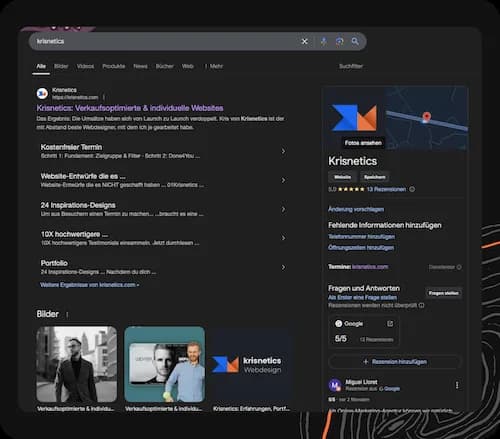
Take the time (or ask your team or your assistant to do it) and set up your profile. Whether you are online a lot or even exclusively offline: people will google you. If your service interests them or has made them curious, people want to see what is behind it. It simply looks unprofessional not to have a Google Business Profile these days.
Fill in your profile properly:
- Add a logo.
- Upload a few photos and videos.
- Add a proper description.
- Link your website! That matters for passive visits.
But do not drive yourself mad either. There are many more settings. Just make sure the whole thing looks professional when someone googles you.
A LinkedIn profile for winning clients: emotion, clarity, uniqueness.
There are a thousand ways to approach a LinkedIn profile. I will tell you how I did it. I am not saying it is the best way. But I can say this much: it has brought me more than 10,000 followers on LinkedIn by now and it brings me plenty of website visitors.
Make sure your LinkedIn profile packs a punch. If it does not, it will not excite anyone enough to go and look at your website.
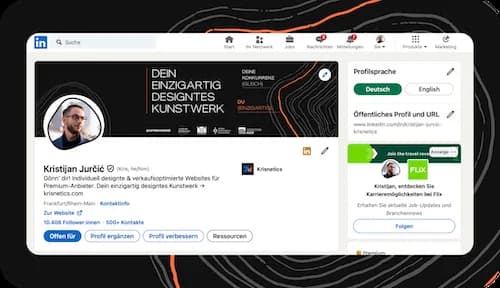
In the end, these are the things you want to create on LinkedIn:
- EmotionYou can create emotion through your banner or your profile photo.
- ClarityYou create clarity through your headline, your banner and the rest of your profile.
- Uniqueness that fits your brandYou can create uniqueness through your banner, your headline and your About text.
All of these make people want to engage with you more. Then they either follow you or visit your website. And I hope I do not have to tell you that you should have a proper profile photo taken by a photographer.
Profile headline, profile link and Premium.
Try to cover the following points:
- Put your website in your headline.
- Add your site as a profile link too: “Visit website”.
- You can even put your website in your banner. I used to have it in there too, in small letters.
- Fill in your profile completely.
With your headline, try to create a mix of intriguing, different and absolutely clear. It should be different, yet still clear what you do. Focus on one thing. I do far more than websites, but my profile is only about websites.
And buy the cheapest version of LinkedIn Premium. You only need the version that lets you see who visits your profile. That is worth its weight in gold. Across the whole year, I only need to win ONE client through profile visits to make 20 times that back in profit. In the end it is far more clients than just one. You run a business: act like it.
Your About text: easy to read.
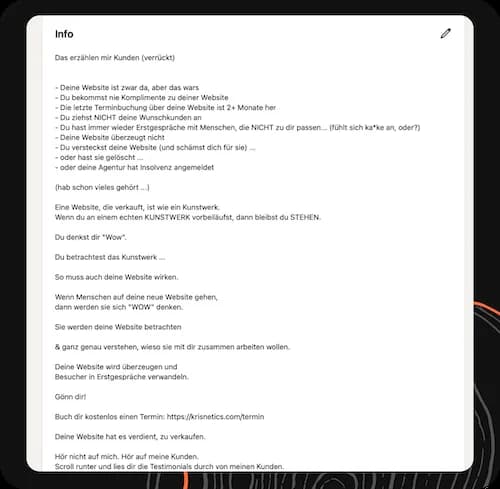
As you can see here: this is no complicated word salad. It is not tiring to read. It is written “very simply”.
You can test whether your text is good. To do that, use the LIX calculator by Supertext. This tool gives you a scale. A text that is too complex is hard to read. Your profile text should never be like that. Hardly anyone will read it through. For my profile text it says at the very bottom: “Your text is very readable”. Your text has to be easy to read too!
Structure your profile text like this:
- HookGrab the reader’s attention.
- Problem awarenessName the problems clients mention to you again and again and want to solve.
- Plot twistNow turn everything around and show the reader that it does not have to be this way.
- Dream stateWhat should it be like? What is it like after working with you?
- Pitch for a call with a link to your website
- Pointer to your testimonialsHere you can pitch once more that people can read your testimonials further down in your profile.
That is all it takes. My profile has around 20 written lines. Even 10 lines of text are enough.
Your Featured section: build trust and pitch the call.
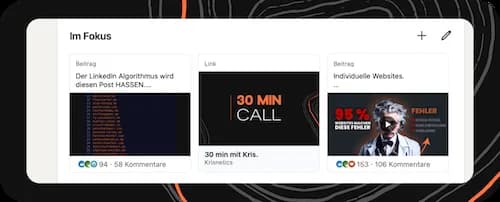
Your Featured section should do the following:
- Build trust: social proof.
- Pitch the call: link to your website.
In the Featured section, use posts that got a lot of reach but also relate directly to your service. I have written posts that got as many as 400 likes but had absolutely nothing to do with websites. Those would not be suitable here. How posts like that come about is something I show in the article LinkedIn post ideas.
What is in my profile:
- My portfolio with a “small” selection of more than 35 client websites.
- My booking link. Just click on it and book a call.
- My promo video. A video that underlines in an entertaining way what I do and who I have already worked with.
I recommend the same to you. You can also show just 2 things. That is plenty: your booking link and one post that performed well. Something else you can do: pitch your freebie. A high-value video, a high-value PDF, a free analysis or something along those lines.
Experience, projects, recommendations: show, don’t tell.
Your experience
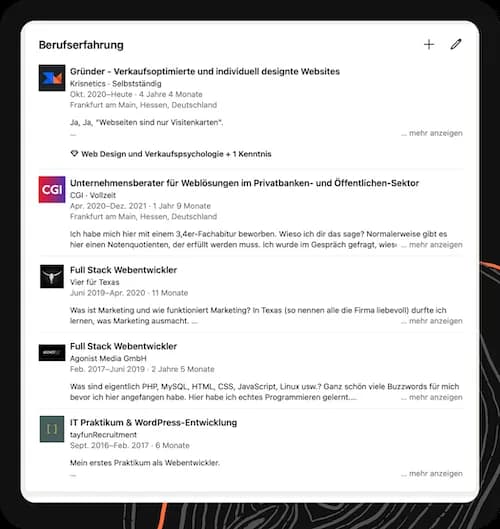
Fill it in completely! Even if you used to be a master baker and are now a designer through and through. There does not always have to be a clear common thread. The thread from master baker to designer could be that working bread by hand taught you there is something unique in every loaf and how much it matters to design cakes for your customers in a way that makes people happy.
Somehow there is always a common thread. But it should also feel authentic to you. Do not force something that feels silly to you.
Your projects
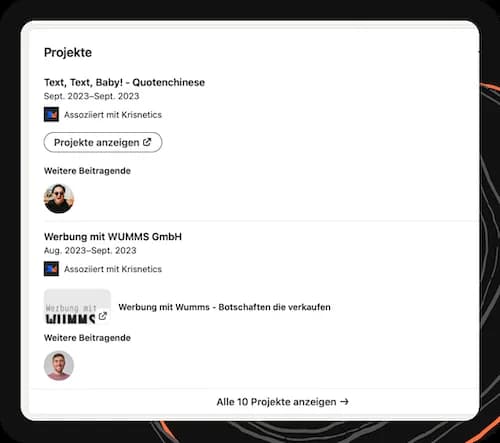
Try not to just talk. Plenty of people can talk. SHOW what you can do. If you have worked with clients, add them to your profile as projects.
- If you edit videos for clients, for example, you can upload them to YouTube as unlisted or (even better) to your website and then link them here.
- If you offer coaching, you can link the client and the testimonial on your website.
Be creative and think about how you can show projects and talk less.
Recommendations on LinkedIn
Collect testimonials as if your business depended on it. Because it does! Sadly, I see far too often that companies do not take testimonials seriously. Your business stands or falls with testimonials. If there are hardly any testimonials about working with you, nobody will trust you.
Make sure you have AT LEAST 3 of them on LinkedIn. Put it in as a really important task at the end of every project: collect testimonials. How to do that is explained in my guide to testimonials.
Your publications
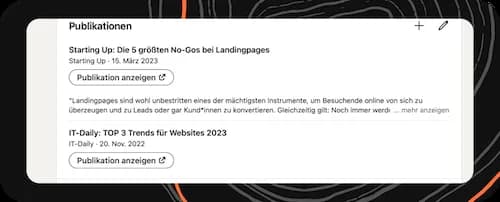
If you have been featured in the press or have written blog articles, they belong here.
Your version 1: the main thing is that it exists.
Take the time. But do not make it too complicated for yourself. It is enough to invest an hour and simply do it as well as you can. Do not rack your brains. The first version of my profile was abysmal. But you always need SOME version first before you can iterate at all. If there is no version 1, there is nothing to iterate on.
Take a look at my version 1:
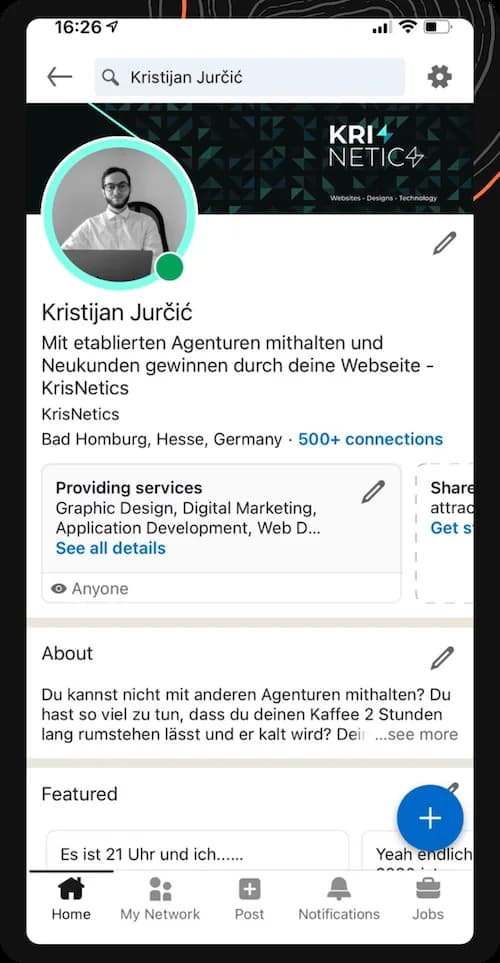
That was at the end of 2020. I had an absolutely awful profile photo that I had taken myself with my phone. My headline was simply bad, unclear and cringe. My About box was just as unclear. But it was my version 1.
The difference between me and many others who want to build a business? I get things done. Even if it is bad at first. It gets better every time. You saw my version 24 above. Worlds apart.
Make sure you fill in your version 1 as well as you can. But do not rack your brains for ever either. Your profile has to be iterated again and again anyway. The more your profile packs a punch, the more likely it is that people will visit your website. Once you have set everything up, your profile will keep bringing visits to your website.
If your website is meant to sell, go for it: Book a call with Kris.
Frequently asked questions about optimising your LinkedIn profile
How can I optimise my LinkedIn profile?
Create emotion, clarity and uniqueness through your profile photo, banner, headline and About text. Fill in your profile completely and put your website in your headline and as a profile link.
What belongs in the profile headline?
A mix of intriguing, different and absolutely clear. It should be different, yet still clear what you do. Focus on one thing and put your website in your headline.
How long should the About text be?
My profile has around 20 written lines. Even 10 lines of text are enough. What matters is that the text is easy to read.
What goes in the Featured section?
Social proof and your booking link. For example a post that got a lot of reach and relates directly to your service, your portfolio or a video. Your booking link and one post that performed well are plenty.
How many recommendations do I need on LinkedIn?
At least 3. Put collecting testimonials in as an important task at the end of every project.
How do I optimise my Google Business Profile?
Add a logo, upload a few photos and videos, add a proper description and link your website. Just make sure the whole thing looks professional when someone googles you.
Collecting testimonials that sell →Building a sales-optimised website: 8 key sections →The thank-you page after a booking: building trust before the intro call →How to create a sales page: bring in more revenue with your sales page →What does a professional website cost? My prices laid bare →60 website mistakes that cost you enquiries →Getting a website built: the process in 7 phases →Website check: the two-tab test in 10 minutes →Landing page structure: the LEAD-FIND formula in 8 sections →Creating a lead magnet: a freebie people actually want →Measuring website success: the numbers you need to know →Your website as a sales rep: 8 jobs it does for you →Building trust on your website: show, don’t tell →Positioning for service providers: stop being comparable →Irresistible offer: 5 steps to make it sell →Fake timers and co.: 5 manipulative tactics on websites →Becoming a premium service provider: be premium, don’t just charge premium prices →Writing website copy: in your customers’ words →LinkedIn content strategy: 4 pillars and one routine →LinkedIn post ideas: 3 structures for posts that sell →How to build a personal brand: turn followers into fans →How to write hooks: mindsets, not formulas, for hooks and headlines →How to run a sales call: turn leads into clients →How to get referrals: the money is lying in the street →Planning a marketing campaign: step by step on LinkedIn →Website tips: 36 short tips from 36 client websites →Looking more premium: how to make your business look 10x more premium →
